
Cisco Webex Receptionist Client - Transfer A Call
Receptionist Client | Transfer a Call
While on a call, you can transfer the call to another user by announcing it first (consulted transfer) or by completing the transfer without an announcement (blind transfer).
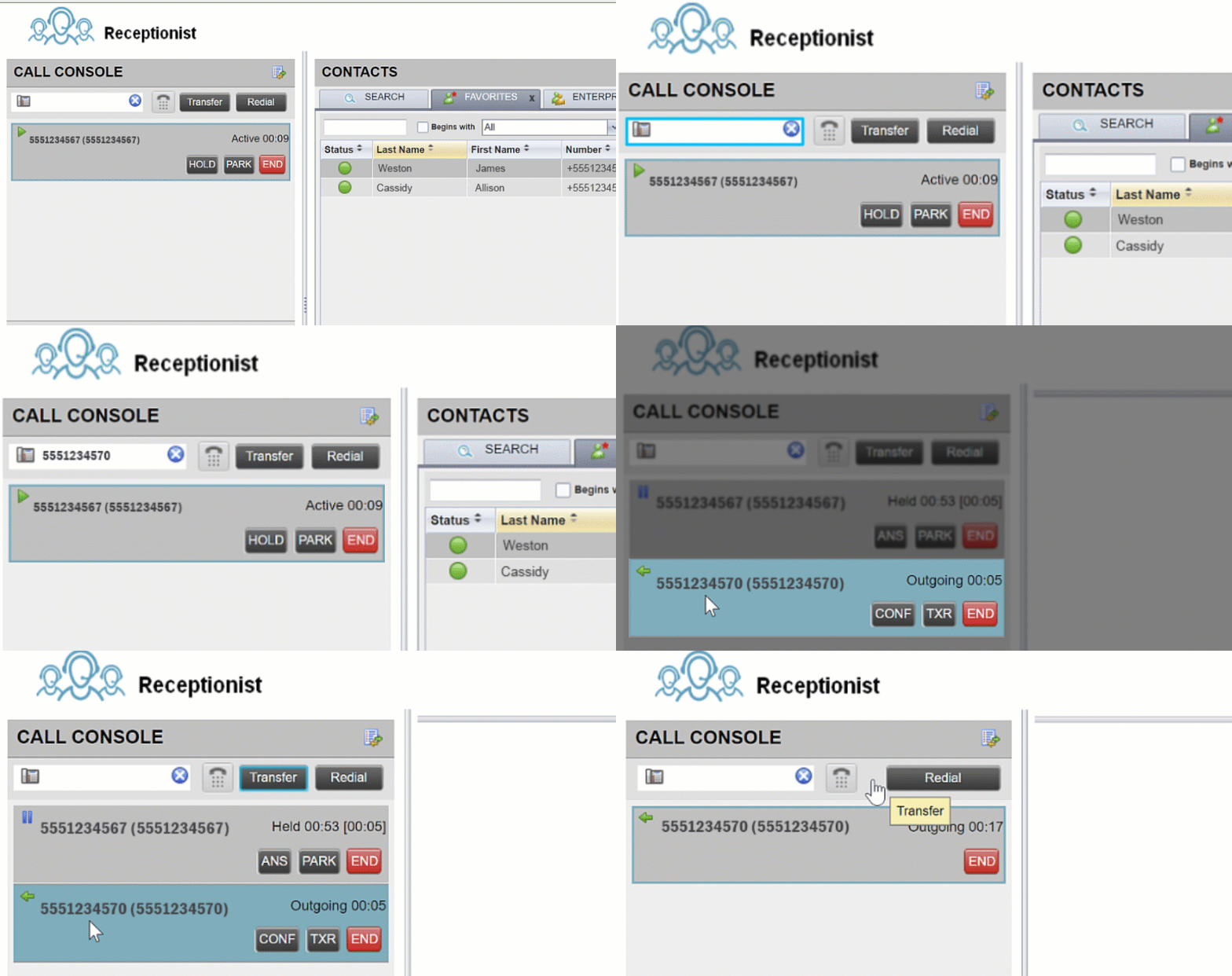
| 1 |
While on an active call, use the dialer or select the contact, to call the person you’d like to transfer to. Your first call is automatically placed on hold. |
| 2 |
(Optional) Announce the call. |
| 3 |
To transfer the call without an announcement (blind transfer), click Transfer after dialing the transfer destination. |
| 4 |
Hover over the active call, then click Transfer. |